connect-magento-with-microsoft-dynamics-365
Business Central Magento

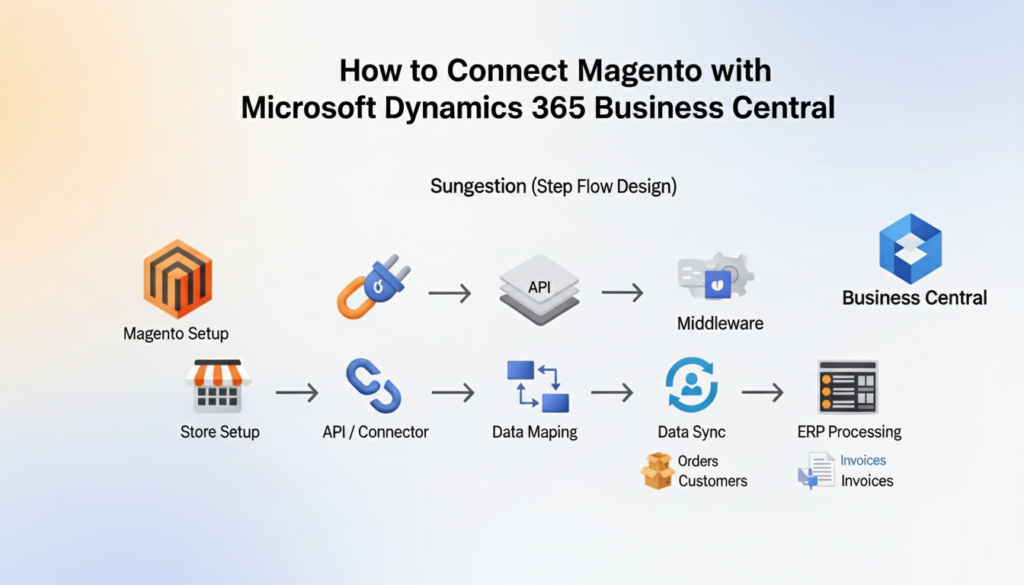
How to Connect Magento with Microsoft Dynamics 365 Business Central

Summary

How to Connect Magento with Microsoft Dynamics 365 Business Central Connecting Magento with Microsoft Dynamics 365 Business Central means linking your online store with your ERP system so data flows automatically between both platforms.

Learn how to connect Magento with Microsoft Dynamics 365 Business Central with a step-by-step guide, benefits, methods, and best practices for smooth integration. Managing an online store and backend operations separately often leads to delays, data mismatches, and extra effort. That’s where integration becomes essential. When Magento is connected with Business Central, everything becomes more aligned, from sales to accounting.

Lets discuss guide explains how the connection works, the different methods you can use, and a clear step-by-step process to help you set it up correctly in this article “How to Connect Magento with Microsoft Dynamics 365 Business Central. Whether you’re a small business or scaling fast, this will help you build a reliable system that actually supports growth.

What Does Magento and Business Central Integration Mean?

Magento is an eCommerce platform used to manage products, orders, and customers online. Business Central is an ERP system that handles finance, inventory, and operations. Integration connects these two systems so they share data automatically.

Instead of updating both platforms separately, integration ensures that actions in one system reflect in the other. For example, when a customer places an order in Magento, it appears in Business Central without manual entry.

Connect Magento with Microsoft Dynamics 365 creates a single source of truth, helping teams work more efficiently and avoid confusion.

Why You Should Connect Magento with Business Central
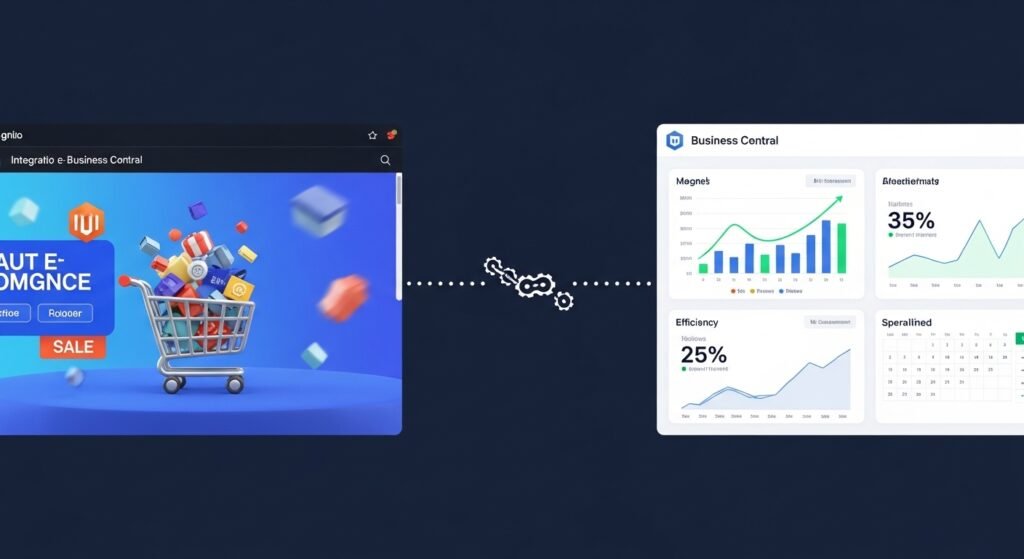
 why-you-should-connect-magento-with-business-central

Running an online business without integration often leads to repetitive tasks and data errors. When systems are Connect Magento with Microsoft Dynamics 365, the workflow becomes smoother and easier to manage.

Before looking at the technical steps, it’s important to understand what you gain from this setup:

  • Orders sync automatically from Magento to Business Central
  • Inventory updates stay consistent across both systems
  • Customer data is centralized and easy to manage
  • Financial records remain accurate without manual input
  • Time spent on repetitive tasks is reduced

These benefits make a real difference, especially when order volume increases.

Key Data You Can Sync Between Magento and Business Central
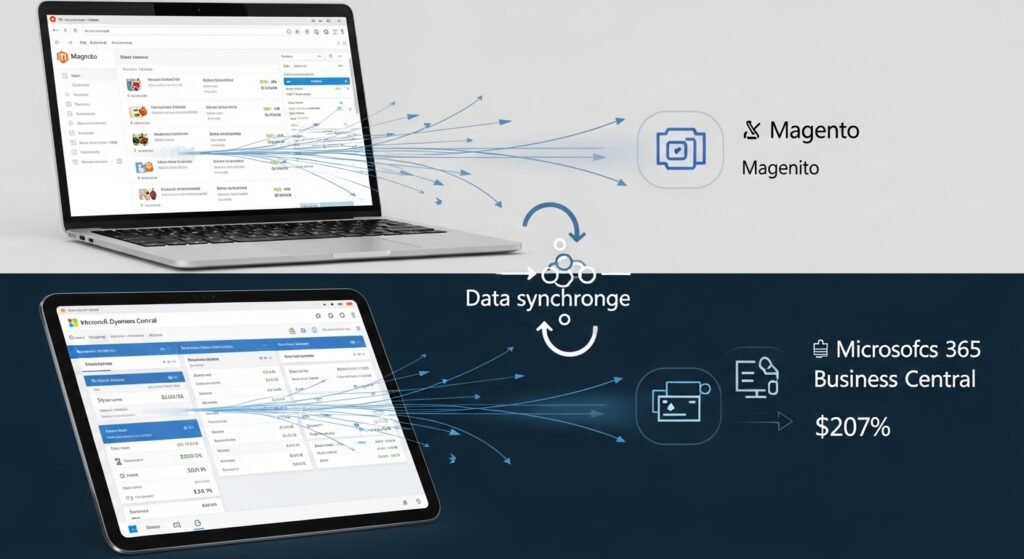
key-data-you-can-sync-between-magento-and-business-central

When you, Connect Magento with Microsoft Dynamics 365 several types of data can move between them. This ensures your business runs on updated and consistent information at all times.

Here’s what typically gets synced:

  • Products and item details
  • Inventory levels
  • Customer information
  • Sales orders and invoices
  • Shipping and tracking details

This data flow keeps your operations aligned without needing constant manual updates.

Methods to Connect Magento with Business Central

There isn’t just one way to Connect Magento with Microsoft Dynamics 365. The method you choose depends on your business needs, budget, and technical setup.

1. Using a Ready-Made Connector

This is the easiest and fastest method. Pre-built connectors are designed to link Magento with Business Central without heavy development work.

They usually offer:

  • Quick setup
  • Standard data syncing features
  • User-friendly interface
  • Lower upfront cost

This option works well for most businesses that want a reliable and simple solution.

2. Custom API Integration

If your business has specific requirements, custom integration using APIs might be the better option. Magento and Business Central both support APIs, allowing developers to build a tailored connection. This method gives you more control but requires technical expertise and time.

3. Middleware Integration

Middleware acts as a bridge between Magento and Business Central. It helps manage data flow, especially when dealing with complex processes or multiple systems.

This option is useful for businesses with advanced workflows or multiple platforms connected together.

Step-by-Step Guide to Connect Magento with Business Central

Setting up the integration may seem technical, but when broken down into steps, it becomes much easier to handle. Below is a clear and practical process you can follow.

Step 1: Prepare Your Magento Store

Before starting the connection, make sure your Magento store is ready. Data should be clean, organized, and properly structured.

Take a few minutes to review the basics:

  • Ensure products and categories are correctly set
  • Remove duplicate or outdated data
  • Enable API access in Magento
  • Check user roles and permissions

This step avoids issues later during the integration process.

Step 2: Set Up Business Central

Now move to your ERP system and prepare it for integration. Business Central should be configured to handle incoming data from Magento.

Focus on the following setup:

  • Configure inventory and item lists
  • Set up customer and vendor records
  • Review financial settings
  • Enable web services or APIs

A properly configured system ensures smooth data flow once connected.

Step 3: Choose the Right Integration Method

At this stage, decide how you want to connect both systems. Your choice depends on your technical skills and business complexity.

To make it easier:

  • Choose a connector if you want a simple and quick setup
  • Go for API integration if you need custom workflows
  • Use middleware if you manage multiple systems

Picking the right method saves time and avoids unnecessary complications.

Step 4: Map Data Between Systems

Data mapping is a critical step. It tells the system how information from Magento matches with fields in Business Central.

Spend time aligning the following:

  • Product fields (SKU, name, price)
  • Customer details (name, email, address)
  • Order structure and status
  • Tax and shipping rules

Accurate mapping prevents data mismatches and errors later.

Step 5: Test the Integration

Before going live, always test the connection. This helps identify issues early and ensures everything works as expected.

During testing:

  • Place test orders in Magento
  • Check if they appear correctly in Business Central
  • Verify inventory updates
  • Review customer data syncing

Testing builds confidence that your system is ready.

Step 6: Go Live and Monitor

Once testing is complete, you can go live. But the work doesn’t stop here. Monitoring is important to ensure everything continues running smoothly.

Keep an eye on:

  • Sync errors or delays
  • Order processing accuracy
  • Inventory consistency
  • System performance

Regular checks help maintain a stable integration.

Common Challenges and How to Avoid Them

Even with a clear setup process, some challenges can appear. Knowing them in advance helps you avoid delays and frustration.

Here are a few common issues and simple ways to handle them:

  • Data mismatch due to incorrect mapping
  • API connection errors
  • Duplicate records in systems
  • Delays in syncing large data

Most of these problems can be avoided with proper planning, testing, and regular monitoring.

Best Practices for a Smooth Integration

A successful integration is not just about connecting systems it’s about maintaining accuracy and reliability over time.

Before wrapping up, here are some practical tips that make a real difference:

  • Keep your data clean and updated
  • Use automation wherever possible
  • Schedule regular system checks
  • Limit manual data entry
  • Work with experienced integration partners

Following these practices helps you get long-term value from your setup.

Make Your Magento and Business Central Work Better Together

To Connect Magento with Microsoft Dynamics 365 the real value comes from how well they support your daily operations. At Business Central Magento, we help businesses bring their eCommerce and ERP systems together in a way that actually makes work easier.

Our team connects Magento with Business Central and other platforms like Shopify and WooCommerce, making sure your products, orders, inventory, and customers stay in sync. We focus on reducing manual effort, avoiding errors, and helping you manage everything from one place. If you want a setup that works reliably and grows with your business, we’re here to help.

Conclusion

To Connect Magento with Microsoft Dynamics 365 Business Central is a practical step for any business looking to simplify operations and reduce manual work. It helps keep your data accurate, improves order handling, and gives you better control over inventory and finances. While the setup may take some planning, the long-term benefits make it worth the effort. If you want a reliable and efficient system, working with an experienced partner like Business Central Magento can make the process much smoother and help you get the most out of your integration. Need help connecting your store and ERP system the right way then contact us? Get clear guidance to set up a smooth and reliable integration Book a Meeting.

FAQ’s

How long does it take to connect Magento with Business Central?

It depends on the method you choose. A connector can take a few days, while custom integration may take a few weeks depending on complexity.

Do I need technical skills to set up the integration?

Not always. Using a ready-made connector usually requires minimal technical knowledge, but custom setups may need a developer.

Can I sync inventory in real time?

Yes, most integrations support real-time or near real-time inventory updates to keep stock levels accurate.

What happens if the sync fails?

Most systems log errors and allow retries. Regular monitoring helps you catch and fix issues quickly.

Is Magento Business Central integration secure?

Yes, when done properly using APIs and secure connections, your data remains protected.

Can I connect multiple Magento stores?

Yes, Business Central can handle multiple stores if the integration is configured correctly. 

How to Connect Magento with Microsoft Dynamics 365 Business Central Read Post »
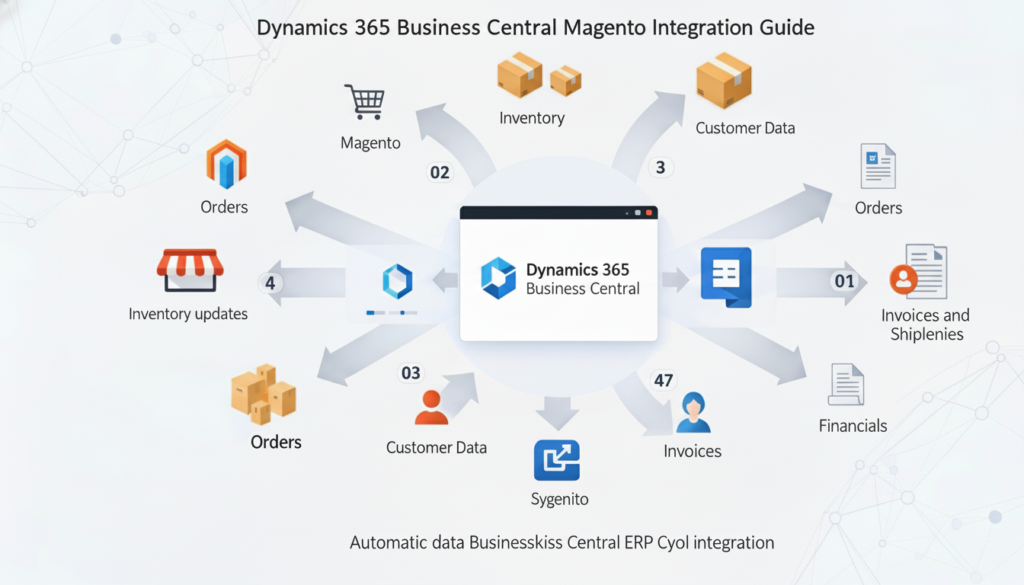
dynamics-365-business-central-magento-integration
Business Central Magento

Dynamics 365 Business Central Magento Integration Guide

Summary

Dynamics 365 Business Central Magento Integration Guide Integrating Magento with Dynamics 365 Business Central allows businesses to manage orders, inventory, and customer data from a single system. This integration reduces manual errors, speeds up processing, and ensures real-time accuracy.

Learn Dynamics 365 Business Central Magento Integration for seamless inventory, orders, and customer management. Step-by-step guide for efficient ERP eCommerce sync. For businesses running Magento stores, manually managing inventory, orders, and customer data can quickly become overwhelming.

Integrating Magento with Dynamics 365 Business Central centralizes all operations, eliminating errors, duplications, and delays. In this article we will explain how the integration works, its benefits, and the practical steps to implement it. By connecting your ERP and eCommerce platform, you ensure smoother workflows, accurate reporting, and faster decision-making.

What is Dynamics 365 Business Central Magento Integration?

what-is-dynamics-365-business-central-magento-integration

Dynamics 365 Business Central Magento Integration is a process that links your Magento eCommerce store with Microsoft’s ERP system. It allows automatic syncing of products, inventory, orders, shipments, and customer details between the two platforms. Without integration, each update requires manual entry, which is prone to mistakes and delays.

  • Sync products and inventory in real-time
  • Automate order processing from Magento to Business Central
  • Maintain consistent pricing and customer records
  • Generate accurate invoices without manual input

This integration acts as a bridge between your online store and ERP, ensuring that both systems reflect the same data at all times.

Key Benefits of Integrating Magento with Business Central

Connecting Magento to Business Central streamlines operations and offers measurable advantages:

  • Real-Time Data Updates: Inventory and order changes instantly reflect in both systems, reducing stockouts or overselling.
  • Reduced Manual Work: Automated syncing decreases repetitive data entry, allowing staff to focus on strategic tasks.
  • Improved Customer Experience: Orders are processed faster and shipping errors are minimized.
  • Accurate Financials: Invoices and payments are correctly captured in Business Central, improving accounting accuracy.
  • Scalability: Businesses can grow without adding administrative overhead.

These benefits make integration a must for any growing Magento store looking to manage operations efficiently.

How Magento Business Central Integration Works

The Dynamics 365 Business Central Magento Integration generally involves three main components:

  • Connector Setup: A connector or plugin is installed that facilitates communication between Magento and Business Central.
  • Data Mapping: Products, inventory, customers, orders, and invoices are mapped so that each field in Magento corresponds to a field in Business Central.
  • Automation Rules: Rules for syncing data (real-time or scheduled batch) are defined to control how and when updates occur.

For example, when a customer places an order on Magento, the Dynamics 365 Business Central Magento Integration automatically creates a corresponding sales order in Business Central, updates inventory, and triggers invoice generation if configured.

Step-by-Step Guide to Connect Magento to Business Central

Dynamics 365 Business Central Magento Integration othe two platforms involves careful planning and technical setup. Here’s a practical approach:

Step 1. Assess Your Current Systems

Before integration, evaluate your Magento store structure and Business Central setup. Identify:

  • Products and SKUs
  • Inventory workflows
  • Customer data format
  • Order processing rules

This assessment ensures smooth data mapping and avoids conflicts during sync.

Step 2. Choose the Right Connector

Select a connector compatible with your Magento version and Business Central. Popular options include:

  • Third-party Magento ERP connectors
  • Custom API-based integration
  • Middleware platforms that bridge both systems

Each option varies in cost, setup complexity, and flexibility.

Step 3. Configure Integration Settings

Once a connector is selected:

  • Map product categories, SKUs, and pricing
  • Define inventory sync rules (real-time or batch)
  • Set order and invoice handling preferences
  • Connect customer accounts between both systems

This step ensures that every transaction in Magento reflects accurately in Business Central.

Step 4. Test the Integration

Before going live:

  • Run test orders
  • Sync sample products and customers
  • Check if invoices and stock levels update correctly
  • Validate error handling

Testing prevents errors that could disrupt operations or confuse customers.

Step 5. Monitor and Optimize

After launching integration:

  • Regularly monitor data sync logs
  • Adjust sync frequency based on order volume
  • Update mapping as new products or features are added
  • Train staff on how to manage exceptions

Continuous optimization ensures long-term efficiency and accuracy.

Real-Time vs Batch Sync in Magento Business Central

Integration can operate in two modes:

Sync Type How It Works Best For Pros Cons
Real-Time Updates occur immediately when changes happen High-volume stores, time-sensitive inventory Instant accuracy, fewer errors Higher server load, complex setup
Batch Updates occur at scheduled intervals Medium/low volume stores Easier to manage, lower server impact Slight delays, potential overselling

Choosing the right sync mode depends on order volume, operational needs, and technical resources.

Common Integration Challenges and Solutions

While Dynamics 365 Business Central Magento Integration improves efficiency, some challenges may arise:

  • Data Mismatch: Differences in product SKUs or customer details can cause errors. Solution: Perform thorough data cleansing before mapping.
  • Performance Issues: Large stores may experience slow syncs. Solution: Optimize sync frequency and batch size.
  • Order Duplication: Incorrect mapping can create duplicate orders. Solution: Test extensively and monitor logs.
  • Complex Customizations: Highly customized Magento stores may need tailored integration logic. Solution: Use API-based connectors or developer support.

Proper planning and expert support can minimize these challenges.

Why Businesses Choose Business Central Magento Integration

Businesses prioritize this integration to achieve:

  • End-to-end operational visibility
  • Accurate inventory management
  • Streamlined order processing
  • Simplified reporting and accounting
  • Scalability without hiring extra staff

By connecting these two systems, companies gain control over every aspect of their eCommerce operations and ERP processes.

How Business Central Magento Integration Improves Inventory Management

Inventory discrepancies can harm sales and customer trust. Integration helps by:

  • Automatically reducing stock when an order is placed
  • Updating stock levels across multiple warehouses or sales channels
  • Alerting managers when inventory reaches reorder thresholds
  • Generating accurate inventory reports in Business Central

This ensures stock accuracy and helps businesses plan purchases more efficiently.

Streamlined Order Processing with Integration

Orders flow smoothly from Magento to Business Central, eliminating manual entry. Integration allows:

  • Immediate creation of sales orders in ERP
  • Automatic invoice generation
  • Shipment tracking synced with Magento
  • Reduced delays and fewer errors in delivery

This saves time, prevents customer complaints, and enhances operational efficiency.

Recommended Solution: Business Central Magento Experts

For businesses seeking reliable, efficient integration, partnering with a dedicated team simplifies the process. At Business Central Magento, we provide:

  • Full Magento-Business Central integration setup
  • Custom workflows for unique business requirements
  • Ongoing support and monitoring
  • Real-time sync for inventory, orders, customers, and invoices

Our focus is to make your eCommerce and ERP systems work together seamlessly, so you can manage operations without worrying about errors or delays.

Dynamics 365 Business Central Magento Integration Guide

Connect Magento with Dynamics 365 Business Central smoothly to keep orders, inventory, and customer data accurate without extra manual work.

Book a Meeting 

Conclusion

Integrating Magento with Dynamics 365 Business Central simplifies eCommerce operations, ensures data accuracy, and supports business growth. From real-time inventory updates to automated order processing, this connection saves time, reduces errors, and improves customer satisfaction. Businesses looking to scale without adding administrative overhead will benefit greatly from a professional integration setup. Contact US for Partnering with Business Central Magento which ensures seamless synchronization, expert guidance, and reliable support for a smooth, efficient, and fully connected eCommerce and ERP experience.

FAQ’s

Can Magento and Business Central integrate in real-time?
Yes, real-time integration is possible using API-based connectors, ensuring instant updates for orders, inventory, and customer data.
Do I need developer support for integration?
While some connectors are plug-and-play, businesses with custom workflows may require developer assistance for proper mapping and automation.
What data can sync between Magento and Business Central?
Products, SKUs, pricing, inventory, orders, customers, invoices, and shipment details can all sync automatically.
Is Dynamics 365 Business Central Magento Integration suitable for small businesses?
Yes, even small stores benefit from reduced manual entry, accurate stock, and faster order processing.
How often should data sync occur?
It depends on volume high-volume stores benefit from real-time sync, while smaller stores may prefer scheduled batch updates.
Can integration handle multiple Magento stores?
Yes, multi-store setups can be integrated, keeping inventory and orders synchronized across all channels. 

Dynamics 365 Business Central Magento Integration Guide Read Post »

New Wiz Tech, Business Central Magento

Why You Need Business Central Magento Integration by New Wiz Tech

Business Central Magento integration by New Wiz Tech unifies ERP and eCommerce to automate orders, inventory, pricing, and finance for scalable, error-free growth. Orders, inventory, customers, and financial data live in separate platforms, forcing teams to rely on manual processes that cause inventory mismatches, delayed fulfillment, and accounting errors. Business Central Magento Integration solves this problem by unifying Magento with a cloud ERP that centralizes automation and operational control.

By combining Microsoft Dynamics 365 Business Central eCommerce capabilities with Magento, businesses gain real-time visibility, stronger automation, and reliable financial reporting. However, achieving long-term success depends on choosing a custom Magento Business Central integration partner that understands ERP logic, not just storefront connectivity. In this article we are going to discuss in detail “Why You Need Business Central Magento Integration by New Wiz Tech” its pricing, features and support etc.

What Is Business Central Magento Integration?

Business Central Magento Integration connects Magento with Business Central ERP to synchronize orders, customers, inventory, pricing, and finance into a single operational ecosystem. Business Central acts as the system of record for accounting, SKU management, warehouse management, tax rules, and fulfillment, while Magento focuses on storefront experience and conversions.

Magento ERP integration solution uses REST API and OData endpoints with OAuth 2.0 authentication, supported by middleware and accurate data mapping. Real-time synchronization is used for critical processes like orders and inventory, while batch processing handles large datasets efficiently. Standard connectors often break under complexity, which is why ERP integration with Magento must be customized for scale and stability.

Why Choose Business Central Magento by New Wiz Tech

Business Central Magento by New Wiz Tech is built with an ERP-first mindset, ensuring automation aligns with accounting and operations instead of patchwork plugins.

ERP-First Integration Approach

  • Business Central serves as the single source of truth across finance, inventory, and fulfillment
  • ERP-driven logic replaces storefront-controlled data handling
  • Clean data mapping ensures accurate general ledger posting and reporting

Built for Complex & Growing Businesses

  • Supports Magento Business Central integration for B2B pricing and customer-specific rules
  • Advanced multi-warehouse inventory workflows
  • High-volume order automation without performance loss
  • Multi-currency and region-based tax rules for global selling

4. Core Features of Business Central Magento Integration

Business Central Magento Integration delivers end-to-end automation across the entire order-to-cash lifecycle.

Order Management

  • Real-time order sync from Magento to Business Central
  • Automated invoicing and posting to the general ledger
  • Refunds, returns, and credit memos handled cleanly

Inventory & Warehouse Management

  • Accurate SKU management across locations
  • Multi-warehouse synchronization
  • Stock reservations to prevent overselling during peak traffic

Pricing, Tax & Currency

  • ERP-controlled B2B pricing lists
  • Customer-specific discounts and contracts
  • Business Central-driven tax rules and multi-currency support

Customer & Account Sync

  • Centralized customer records across systems
  • Duplicate prevention and clean account data
  • Accurate billing and shipping synchronization

Technical Architecture & Integration Methodology

Business Central Magento Integration by New Wiz Tech is built for enterprise-grade reliability and upgrades.

  • REST API and OData endpoints for secure communication
  • OAuth 2.0 authentication for protected access
  • Middleware-based architecture for flexibility
  • Event-based triggers combined with scheduled jobs
  • Secure, scalable, and upgrade-safe ERP design

Performance, Scalability & Reliability

Designed for scalable eCommerce with Business Central ERP, this integration supports growing product catalogs, high transaction volumes, and seasonal sales spikes. Business Central Magento Integration uses asynchronous processing to manage heavy data loads without impacting storefront speed. Optimized payloads, background queues, and automation workflows ensure consistent performance while maintaining data accuracy across SaaS and on-premise environments.

Pricing Model: Transparent & Scalable

New Wiz Tech offers flexible pricing based on real operational needs rather than rigid connector fees.

What Affects Integration Cost?

  • Business complexity and automation depth
  • Number of entities (orders, SKUs, customers, warehouses)
  • Custom workflows and B2B logic
  • Hosting and environment setup

Pricing Philosophy

  • No forced plugin subscriptions
  • Long-term ROI focused Magento Business Central ERP solution
  • Built to scale without connector limitations

Support & Maintenance by New Wiz Tech

Business Central Magento Integration is supported by ERP specialists, not generic support teams.

Integration health audits to identify performance bottlenecks and sync risks before they impact operations

  • Error log analysis and root-cause resolution to prevent recurring sync failures
  • Safe retry and rollback mechanisms to protect orders, inventory, and financial data
  • Upgrade-safe architecture reviews before Business Central or Magento releases
  • Data consistency checks to ensure inventory, pricing, and customer records remain aligned
  • Performance tuning for high-order volumes during seasonal peaks and campaigns
  • Security reviews for API access and authentication flows
  • Change management support when adding new warehouses, pricing rules, or business units
  • Dedicated staging and testing support for validation before production deployment
  • Clear documentation and knowledge transfer for internal IT and operations teams

Business Benefits of Choosing New Wiz Tech

  • Reduced Manual Work: Automation replaces spreadsheets and manual syncing with ERP-aligned workflows.
  • Accurate Financial Reporting: ERP-controlled posting ensures clean accounting and audit readiness.
  • Faster Fulfillment: Inventory accuracy improves fulfillment speed and customer trust.
  • Better Customer Experience: Consistent pricing, stock visibility, and order updates across channels.
  • ERP-Aligned Automation: No fragile plugins only stable, scalable ERP logic.
  • Future-Proof Scalability: The integration is built to grow with your business, supporting new warehouses and B2B models.
  • Operational Visibility & Control: Centralized dashboards and ERP-driven data give leadership real-time insight into orders and inventory.
  • Lower Long-Term Technology Costs: By eliminating dependency on multiple plugins and manual fixes.

Who Should Use Business Central Magento Integration?

B2B Wholesalers and Manufacturers

B2B wholesalers and manufacturers manage complex pricing structures, customer-specific contracts, and bulk ordering workflows that basic eCommerce setups cannot handle. Business Central Magento Integration allows these businesses to control B2B pricing, credit limits, payment terms, and customer-specific catalogs directly from Microsoft Dynamics 365 Business Central. You can learn more about ” Common Magento Business Central Sync Errors & Fixes“.

Multi-Warehouse Retailers

Retailers operating multiple warehouses need real-time stock visibility across locations to avoid overselling and fulfillment delays. With Business Central Magento Integration, inventory is synchronized at the SKU level across all warehouses, enabling intelligent order routing and accurate stock availability on the storefront.

High-Order-Volume Magento Stores

High-traffic Magento stores processing hundreds or thousands of orders daily require an integration that can scale without performance issues. Business Central Magento Integration supports high-order-volume environments through asynchronous processing, queue-based automation, and optimized data mapping. This ensures fast order synchronization and reliable inventory updates.

Final Thoughts

Business Central Magento Integration is not just a technical setup it’s a growth strategy for modern eCommerce. New Wiz Tech delivers a custom Magento Business Central integration partner experience focused on automation, scalability, and ERP accuracy. Visit our  page to learn why you need Business Central Magento integration, or contact us to build a future-ready ERP integration with Magento. Learn more about “Magento vs WooCommerce for Business Central ERP: Which Integration Is Right for Your Business?


Why You Need Business Central Magento Integration by New Wiz Tech Read Post »

Business Central Magento

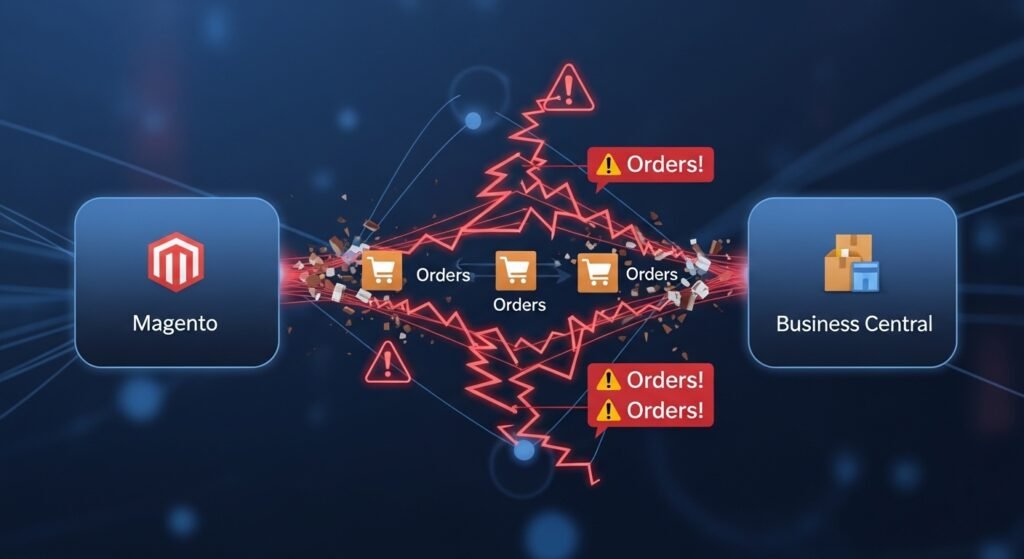
Common Magento Business Central Sync Errors & Fixes

Alt: magento-business-central-integration-errors Name: Common Magento Business Central Sync Errors

Discover common Magento Business Central integration errors, from order and inventory sync to API issues, plus best practices to fix and prevent them. Integrating Magento with Microsoft Dynamics 365 Business Central enables seamless data synchronization across orders, inventory, customers, pricing, and financial records. When implemented correctly, this integration becomes the backbone of modern ERP eCommerce automation, eliminating manual work and improving operational accuracy.

However, due to the inherent complexity of ERP eCommerce environments, Magento Business Central sync errors can still occur especially when integrations are rushed, poorly configured, or insufficiently monitored. In this article we are going to learn the most common Business Central Magento sync problems, along with their root causes and proven fixes.

Why Magento Business Central Sync Errors Happen

Most Magento Business Central integration issues originate from underlying ERP sync issues that surface when two highly complex systems attempt real-time data exchange. While both platforms are powerful on their own, aligning their data structures, workflows, and processing logic requires careful planning and technical precision.

Complexity of ERP–eCommerce Integrations

ERP systems are built to manage back-office operations such as finance, inventory, procurement, and compliance. eCommerce platforms, on the other hand, focus on storefront performance, customer experience, and transaction speed. Because these systems follow different business logic and validation rules, even minor inconsistencies in data mapping can trigger Business Central data sync errors.

Real-Time vs Scheduled Sync Conflicts

Many integrations rely on a mix of real-time sync and scheduled background jobs. While this approach improves performance, it can also introduce race conditions if not managed properly. When real-time updates overlap with scheduled sync processes, the systems may overwrite each other’s data or process the same payload twice.

Impact of Poor Configuration

Poor initial setup is one of the leading causes of Magento Business Central connector errors. Misconfigured API connections, incorrect field mappings, missing unique identifiers, or disabled queue processing can all destabilize the integration. Without proper configuration and validation, errors may go unnoticed until they affect critical business workflows.

Order Sync Errors Between Magento and Business Central

Order-related failures are among the most visible and damaging Magento order sync issues, because orders depend on nearly every other data entity customers, products, inventory, pricing, taxes, and shipping.

Orders Not Syncing to Business Central

In some cases, orders are successfully placed in Magento but never appear in Business Central, creating gaps in fulfillment and accounting.

Common causes include:

  • API connection authentication failures
  • Queue processing backlogs
  • Stalled or failed background jobs

How to fix it:

  • Validate API credentials, permissions, and endpoints
  • Reset and monitor queue processing to ensure jobs are executing
  • Review detailed error logs to identify failed transactions and retry them safely

Proactive monitoring of order sync queues can prevent silent failures that otherwise go unnoticed until customer complaints arise.

Duplicate or Partial Order Records

Duplicate or incomplete orders are another frequent symptom of unstable integrations.

Causes include:

  • Retry logic resubmitting the same payload after timeouts
  • Interrupted order processing workflows

Fixes:

  • Implement idempotency checks to ensure each order is processed only once
  • Use transaction-level logging to track order states and prevent duplicate records

These safeguards are critical for maintaining financial accuracy and customer trust.

Inventory Sync Errors and Stock Mismatches

Inventory sync errors in Magento Business Central integrations can quickly lead to overselling, lost revenue, and frustrated customers. Inventory accuracy is especially critical for multi-channel and high-volume stores.

Incorrect Stock Levels in Magento

Incorrect stock availability displayed on the storefront often results from delayed updates or conflicting inventory sources.

Causes:

  • Delayed inventory updates from Business Central
  • Manual stock overrides in one system

Fixes:

  • Enforce strict real-time sync rules
  • Define a single inventory source of truth
  • Eliminate manual overrides where possible to avoid inventory mismatch

Overselling or Out-of-Stock Issues

During peak sales periods, even small sync delays can cause Magento to accept orders for products that are no longer available.

Causes:

  • Sync latency under high transaction volume

Fixes:

  • Apply stock reservation logic during checkout
  • Reduce sync intervals
  • Trigger inventory updates via event-based mechanisms rather than fixed schedules

These measures help maintain inventory accuracy even during traffic spikes.

Product and Pricing Sync Issues

Clean product and pricing data are essential for consistent customer experiences. Unfortunately, product sync issues and pricing mismatches are common during Magento ERP integration troubleshooting.

Products Not Updating in Magento

Product updates may fail to appear on the storefront despite being updated in the ERP.

Causes:

  • Incorrect attribute or field mapping
  • Unsupported or custom product attributes

Fixes:

  • Validate and standardize data mapping
  • Align product data models between Magento and Business Central
  • Document supported attributes clearly

Incorrect Prices or Missing Discounts

Pricing discrepancies can erode customer trust and impact revenue.

Causes:

  • Pricing rules applied inconsistently across systems
  • Multiple pricing sources without clear priority

Fixes:

  • Centralize pricing control in a single system
  • Sync pricing rules rather than static prices
  • Test pricing logic across customer groups and scenarios

Customer and Account Sync Errors

Customer-related Business Central data sync errors often affect reporting accuracy, customer segmentation, and personalized pricing strategies.

Missing or Duplicate Customers

Causes:

  • Identifier mismatches between systems
  • Inconsistent customer creation logic

Fixes:

  • Use unique customer keys such as email or account ID
  • Apply duplicate detection logic during data synchronization

Address and Tax Data Errors

Incorrect address or tax data can disrupt fulfillment and compliance.

Causes:

  • Formatting inconsistencies
  • Country-specific tax rule mismatches

Fixes:

  • Normalize address fields
  • Standardize country, region, and tax codes
  • Validate tax rules during sync testing

API, Performance, and Timeout Errors

System performance issues can silently undermine integration stability if not actively managed.

API Authentication Failures

Causes:

  • Expired tokens
  • Rotated or outdated credentials

Fixes:

  • Implement scheduled credential rotation
  • Monitor API authentication error logs
  • Set alerts for repeated authentication failures

Slow Sync or Timeouts

As data volume grows, sync performance can degrade.

Causes:

  • Large payloads
  • Synchronous processing under load

Fixes:

  • Use batch processing for large datasets
  • Shift heavy operations to asynchronous background jobs
  • Optimize payload size and indexing

How to Monitor and Prevent Magento Business Central Sync Errors

Proactive integration monitoring is essential for maintaining long-term automation reliability.

Best practices include:

  • Centralized error logs and real-time alerts
  • Sync health dashboards to track failures and latency
  • Regular audits after system updates
  • Regression testing for critical workflows

Monitoring transforms integrations from reactive systems into stable, scalable foundations.

When to Use a Custom Magento Business Central Integration

Generic connectors can work for simple use cases but often struggle as businesses grow.

Limits of Generic Connectors

  • Limited customization
  • Poor performance under high data volumes
  • Inflexible workflows

Benefits of Custom ERP Integration

  • Tailored sync logic
  • Industry-specific workflows
  • Improved long-term stability and system performance
  • Better alignment with business processes

Custom integrations are especially valuable for B2B, multi-store, or high-volume eCommerce operations.

Final Thoughts

A reliable ERP sync is the backbone of scalable eCommerce operations. By identifying Magento Business Central sync errors early, applying structured fixes, and investing in monitoring and performance optimization, businesses can build integrations that support growth instead of restricting it. Error-free automation reduces operational costs, improves customer experience, and allows teams to focus on scaling not constant troubleshooting. Have questions about Magento Business Central integration or struggling with sync issues? Visit our page to explore proven ERP integration strategies or contact us today to get expert help tailored to your business.

Read More:
          Magento vs WooCommerce for Business Central ERP: Which Integration Is Right for Your Business?


Common Magento Business Central Sync Errors & Fixes Read Post »

Business Central Magento

Magento vs WooCommerce for Business Central ERP: Which Integration Is Right for Your Business?

Magento vs WooCommerce becomes a critical comparison as eCommerce businesses grow and managing operations across disconnected systems becomes increasingly difficult. Orders, inventory, customers, pricing, and accounting data often sit in different tools, creating delays, errors, and manual work.  Many companies use Microsoft Dynamics 365 Business Central as a cloud ERP to manage finance, inventory, warehouse management, and the general ledger.
When connecting an online store to this cloud ERP, two platforms dominate the conversation Magento vs WooCommerce.

Choosing the wrong platform for ERP integration with Business Central can limit scalability, increase costs, and slow automation. This guide explains Magento vs WooCommerce for ERP integration so you can decide which approach Magento vs WooCommerce supports your growth, performance, and long-term ERP strategy.

Understanding Business Central ERP Integration

Understanding Business Central ERP Integration starts with knowing how Microsoft Dynamics 365 Business Central connects your eCommerce store with finance, inventory, and operations. ERP integration ensures that data flows automatically between systems, reducing manual work and improving accuracy across the business.

What Is Microsoft Dynamics 365 Business Central?

Microsoft Dynamics 365 Business Central is a SaaS-based cloud ERP that centralizes accounting, purchasing, sales, inventory, tax rules, and financial reporting. It can run in the cloud, hybrid, or on-premise environments and acts as the system of record for business operations.

Why ERP Integration Is Critical for eCommerce

Without ERP integration, eCommerce teams rely on manual updates or batch processing. A proper Business Central ERP for eCommerce platforms ensures real-time synchronization between systems, improving accuracy and fulfillment speed.

Core Integration Objectives

Most Microsoft Dynamics 365 Business Central eCommerce projects focus on:

  • Order synchronization
  • Inventory and warehouse management
  • Customer data and B2B pricing
  • Financial posting to the general ledger

From a technical view, integration uses REST API or OData endpoints, OAuth 2.0 authentication, middleware, and accurate data mapping.

Overview of Magento for Business Central ERP

Magento is an enterprise-grade eCommerce platform designed for businesses that need scalability, flexibility, and deep system integration. When connected with Microsoft Dynamics 365 Business Central, Magento enables advanced ERP-driven workflows for inventory, pricing, orders, and finance. This makes Magento a strong choice for companies managing complex catalogs, B2B operations, and long-term growth through Business Central ERP integration.

What Is Magento (Adobe Commerce)?

Magento is an enterprise-grade eCommerce platform built for complex catalogs, multi-currency pricing, and advanced B2B workflows. It is widely used by businesses that require scalability and customization.

Why Magento Works Well with Business Central

Magento Business Central integration supports deep ERP logic, making it ideal for complex operations. Magento connects with Business Central using REST API and middleware to support real-time synchronization.

Common Magento Business Central Integration Use Cases

  • Magento Business Central B2B integration with customer-specific pricing
  • Multi-warehouse inventory synchronization
  • Large SKU catalogs and complex fulfillment rules

Integration Approach

ERP integration with Magento typically involves:

  • REST API and OData services
  • Secure OAuth 2.0 authentication
  • Custom data mapping and middleware

Overview of WooCommerce for Business Central ERP

What Is WooCommerce?

WooCommerce is a WordPress-based eCommerce platform built to help small and mid-sized businesses sell online with minimal technical complexity. It operates as a plugin for WordPress, making it a popular choice for companies already using WordPress for content management. WooCommerce is well suited for simple to moderately sized product catalogs and businesses that want to launch quickly without heavy development effort.

Strengths of WooCommerce

One of WooCommerce’s biggest advantages is its fast setup and low upfront cost compared to enterprise eCommerce platforms. Store owners benefit from a familiar WordPress interface, which reduces the learning curve for content and product management. WooCommerce Business Central integration is commonly used for basic ERP requirements such as syncing orders, products, customers, and inventory.

Typical Integration Scenarios

ERP integration with WooCommerce often relies on:

  • Plugins and third-party connectors
  • Middleware for data exchange
  • Limited use of REST API

This approach works for simple workflows but exposes WooCommerce ERP limitations as business complexity grows.

Magento vs WooCommerce: Core ERP Integration Differences

  • Platform Architecture: Magento is modular and scalable, while WooCommerce depends on WordPress plugins, which can restrict customization.
  • Integration Flexibility: Magento supports advanced ERP logic and custom workflows. WooCommerce provides limited control over pricing, inventory logic, and tax rules.
  • Data Synchronization: Magento enables real-time synchronization for orders and inventory. WooCommerce integrations often rely on batch processing, causing delays for high-volume stores.
  • Upgrade & Version Compatibility: Magento ERP integrations are typically designed with long-term version stability in mind. WooCommerce integrations are more sensitive to WordPress and theme.
  • Customization Ownership: With Magento, businesses own the integration logic and can extend it as ERP needs change. WooCommerce integrations often depend on plugin vendors.

Inventory & Order Management

Effective inventory and order management are critical when integrating an eCommerce platform with Business Central ERP. Magento offers strong support for real-time inventory synchronization from Business Central, ensuring stock levels are always accurate across all sales channels. It also provides built-in visibility for multi-warehouse inventory, making it easier to manage stock across multiple locations. Orders placed on Magento flow automatically into Business Central, triggering inventory updates, invoicing, and accounting entries without manual effort.
This level of automation helps reduce errors and speeds up fulfillment. WooCommerce can also sync orders and inventory with Business Central, but it often relies on third-party plugins or connectors. Managing multiple warehouses, advanced fulfillment workflows, and real-time updates usually requires additional customization.

Performance & Scalability

Magento is designed for scalable eCommerce with Business Central. It handles large SKU catalogs, high order volumes, traffic spikes, and seasonal sales efficiently in cloud ERP environments. WooCommerce performs well for small stores but can face performance bottlenecks as data volume and ERP complexity increase.
Magento for Scalable eCommerce with Business Central

  • Handles high traffic smoothly
  • Supports large product catalogs
  • Built for complex ERP workflows

WooCommerce Scalability Considerations

  • Performance depends on hosting
  • Plugin conflicts can slow sites
  • Struggles with very large catalogs

Cost Comparison

Magento Costs

  • Higher development cost
  • Advanced hosting requirements
  • Ongoing maintenance and optimization

WooCommerce Costs

  • Lower startup cost
  • Plugin and connector fees
  • Hidden costs as traffic and complexity grow

Which Platform Is Right for You?

Choose Magento if you need:

  • Enterprise or B2B functionality
  • Complex ERP workflows and pricing
  • Multi-warehouse inventory management
  • Long-term scalability

Choose WooCommerce if you need:

  • A solution for small businesses
  • Simple catalogs and workflows
  • Lower upfront cost
  • Faster deployment

If you’re asking which is better Magento vs WooCommerce for Business Central, the answer depends on complexity, scale, and growth plans.

Real-World Example

A growing online retailer integrates Business Central with Magento and gains real-time inventory, automated pricing, and scalable ERP automation. The same retailer using WooCommerce achieves faster setup but struggles as order volume, B2B pricing, and warehouse management become more complex.

Feature Comparison for Business Central ERP

Inventory & Warehouse Management

  • SKU-level inventory tracking
  • Multi-warehouse synchronization
  • Automated stock updates

Magento handles complex inventory better, while WooCommerce works for simpler needs.

Pricing, Tax & Currency

  • B2B pricing rules
  • Customer-specific price lists
  • Multi-currency support
  • ERP-driven tax rules

Magento offers deeper pricing control, while WooCommerce relies on plugins.

Orders, Fulfillment & Finance

  • Order lifecycle synchronization
  • Invoicing from Business Central
  • Posting to the general ledger
  • Returns and refunds handling

Magento supports more complex financial workflows.

Conclusion

Magento vs WooCommerce both support Business Central ERP integration, but they serve very different business needs. Magento is built for complex, growing organizations that require deep ERP control and scalability. WooCommerce is better suited for smaller businesses with simpler requirements. When choosing between Magento vs WooCommerce for Business Central ERP, focus on long term growth, ERP complexity, and operational scale not short-term convenience. To explore the best integration approach for your business, visit our  page or contact us for expert guidance.

Magento vs WooCommerce for Business Central ERP: Which Integration Is Right for Your Business? Read Post »

Scroll to Top